AI TOOL / #02542
Text to Calendar
Browser extensions that allow users to create calendar events by highlighting specific text.
Introduction
Browser extension to create calendar events from highlighted text.
What is Text to Calendar?
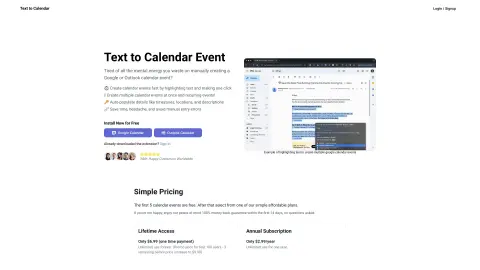
Calendar Text Converter is a browser extension designed to simplify the process of creating events in Google or Outlook calendars. Users can highlight text that contains event details, and the extension automatically fills in the necessary information on the event creation forms – thus saving time and reducing the likelihood of manual input errors. This extension supports the creation of both one-time and recurring events, and it also helps to fill in details such as locations, time zones, and event descriptions.
How to use Text to Calendar?
Install the calendar text conversion extension. It allows you to highlight text on any web page or email that contains details about events. Simply click on the extension icon, and a form for creating Google or Outlook calendar events will be automatically populated. Adjust the details as needed and save the event.
The core functionality of Text to Calendar
Create a Google or Outlook calendar event based on the highlighted text.
Create multiple events at once.
Create a recurring event
Automatically fill in event details such as location, time zone, and description.
Related
PDF Online Toolkit
A free and easy-to-use online PDF tool that offers a total of 24 features for editing PDF files directly online.
Ma Xiaobang's Blog
Ma Xiaobang’s Blog is a personal website dedicated to sharing internet-related experiences. The blogger uses easy-to-understand articles to introduce a wide range of high-quality software and online tutorials to everyone. (Ma Xiaobang: Of course, I should give myself some praise!) Scan the QR code to follow its WeChat official account.
New BaseTab AI
AI-powered new tab workspace for browsers
The new GPT Image Hub
A database containing over 30,000 AI-generated image prompt templates
New Enclave
The notch on the Mac has evolved into an AI-based status panel.
New Verli
Real-time two-way translation for meetings and calls