AI TOOL / #04207
StudyPal AI – Ultimate Homework Helper
A Chrome extension that allows users to quickly obtain AI-generated answers while browsing web pages.
Introduction
Chrome extension for quick, AI-powered answers within webpages.
What is the StudyPal AI Chrome extension/plug-in?
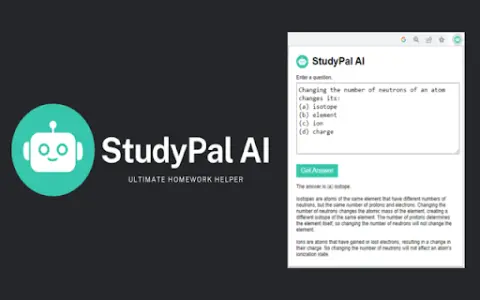
StudyPal AI is a Chrome extension designed to help users quickly locate answers to questions on web pages. By highlighting relevant text and clicking the extension icon, an AI-powered search engine will automatically fill in the question and provide quick and convenient answers, allowing users to stay on the same page without having to leave it.
How to use the StudyPal AI Chrome extension/plug-in?
Install the Chrome extension. Highlight the text on the web page, and click on the StudyPal AI icon in the browser toolbar – the AI will then find the answer for you.
The core functions of the StudyPal AI Chrome extension/plug-in
AI-powered search engine
The highlighted text is automatically used to fill in the search box.
Quickly obtain the answers and explanations.
No need to leave the web page.
Manually enter the options related to the question.
Related
Study Hero
A learning tool with AI-powered problem-solving and note-taking features, designed for stress-free learning.
TextGo AI
AI humanizer tool that rewrites AI text to avoid detection and ensure originality.
Paraphrasingtool.ai
A free AI-powered tool that allows users to rewrite text in various modes and with different tones.
Humanize AI
An AI-based tool that transforms AI-generated text into content that resembles human-written work and is free from plagiarism.
AI Bypasser AI
An AI detection removal tool for rewriting AI text and bypassing AI detection.
CAPTCHA Solver: auto hCAPTCHA reCAPTCHA freely
Chrome extension that automatically solves hCaptcha and reCAPTCHA challenges.