AI TOOL / #04401
Endel
Personalized soundscapes help enhance concentration, promote relaxation, and facilitate falling asleep, all with the support of neuroscience.
Introduction
Personalized soundscapes app for focus, relaxation, and sleep, backed by neuroscience.
What is Endel?
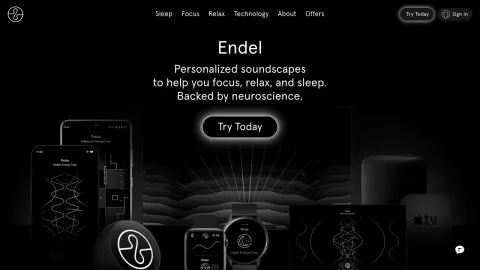
Endel is a personalized soundscaping application designed to help users focus their attention, relax, and fall asleep. It uses patented technology to generate soundscapes in real time, adjusting them based on factors such as time, weather, heart rate, and location. Leveraging advances in neuroscience, Endel aims to enhance cognitive performance and reduce stress through its mobile app, integration with the Apple Watch, Amazon Alexa skills, and desktop version.
How to use Endel?
Download the Endel app on your iOS or Android device, or access it via your Apple Watch, Amazon Alexa, Mac, web, or Windows. This app generates personalized soundscapes based on your environment and the mode you choose (focus, relaxation, sleep, or activity). You can also use pre-defined soundscapes for specific tasks or occasions.
The core functions of Endel
Personalized soundscapes that dynamically adjust in response to real-time user input
Patterns of concentration, relaxation, sleep, and activity
All-weather speakers that play continuously throughout the day
Integration with Apple Watch, Amazon Alexa, and other platforms
Scientifically-based sound effect design
Related
Applystead
A free AI job-search tool that tailors your resume to job requirements.
AirJelly
Desktop AI that remembers your work context and proactively reminds you
GoodSocials
An AI social media manager who runs LinkedIn for you
RenamerX
Batch rename files with local AI
AgileHero
A Kanban board that AI assistants can operate directly.
NotchLive
Real-time subtitle translation within the notch on the Mac screen