AI TOOL / #06308
YouTube Transcript Generator
Extract and display the subtitles of YouTube videos, making it easy to access and review them.
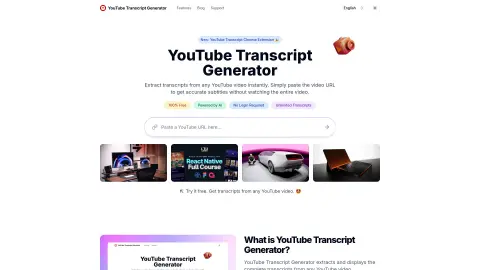
Introduction
Extracts and displays YouTube video transcripts for easy access and review.
What is the YouTube Transcript Generator?
The YouTube Subtitle Generator extracts and displays the complete transcript of any YouTube video. It allows you to quickly access, read, and save the content of a video without having to watch the entire video itself – making it much easier for you to find specific information or review the content at your own pace.
How to use the YouTube Transcript Generator?
1. Copy the URL of the YouTube video. 2. Enter the URL in the input box and click the “Transcript” button. 3. View, search for, or download the transcript in the format of your choice.
The core functions of the YouTube Transcript Generator
Extracting transcripts from any YouTube video
Supports multiple download formats (TXT, DOCX, VTT, SRT).
Provide searchable text transcripts.
Applicable to any publicly available YouTube video.
Provides unlimited access, with no daily restrictions.
No login required
Related
This person does not exist.
This site is no longer active. At 02:03:36 on March 28, 2023, “thispersondoesnotexist” indicated that this individual does not actually exist. Every time the website is refreshed, a new portrait image of this fictional character is generated. This character does not exist in reality; he was created using a generative adversarial network.
find hidden cow
Find the hidden cow: findtheinvisiblecow A very interesting website, move your mouse over the blank page to find the hidden cow. The closer your mouse is to the cow, the louder the cow's cry will be. If you find five cows in total, you can also unlock the next animal~~The sound of cows is very funny
Bilibili | Learning
Bilibili is more than just a place for a quick laugh in the entertainment section for me; more importantly, it’s where I recharge and learn. If you make good use of Bilibili’s search engine, you’ll find that you can search for any skill you want to learn on Bilibili. Take PR video editing, for example—I don’t know how to edit videos.
eBook search
Chong Tribe e-book search integrates 21 e-book resource websites. There is no e-book that you can’t find. If you can’t find it with a search engine, then find another one~
Simulate the Windows upgrade interface
Fakeupdate is a perfect tool for slacking off – it simulates the process of your computer being upgraded or infected with a virus, allowing you to fool colleagues and friends into believing that you are currently unable to use your device.
NewCluinn
AI dictation and conferencing assistant on Mac