AI TOOL / #06543
OpenAI Text To Speech WebUI
A free web interface that uses the OpenAI API to convert text into speech.
Introduction
A free web UI using OpenAI API to convert text to speech.
What is the OpenAI Text To Speech WebUI?
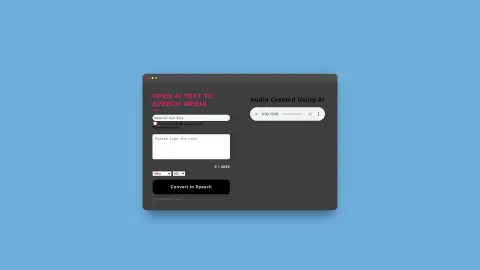
The OpenAI Text-to-Speech WebUI is a web application that uses the OpenAI API to convert text into audio. It is designed as a free front-end for OpenAI’s TTS service, and users need to provide their own API keys to use it. This application supports multiple languages and offers various voice options to generate realistic audio outputs.
How to use the OpenAI Text To Speech WebUI?
To use the OpenAI Text-to-Speech WebUI, you need to obtain an API key from the OpenAI platform. Once you have obtained it, paste your API key into the field designated by the website. Enter the text that you would like to have converted into audio, select your preferred voice and settings, and then click the “Convert to Audio” button. The resulting audio file can be played or downloaded.
The core functions of the OpenAI Text To Speech WebUI
Utilize the OpenAI API to perform text-to-speech conversion.
Supports multiple languages
Voice selection options: Alloy, Echo, Fable, Onyx, Nova, Shimmer
This option allows the API key to be stored in the browser (not recommended).
Adjustable audio quality (high quality, high definition)
Related
RankSpot
The SEO execution layer designed for intelligent agents
Arcade
The AI Video Workstation for Marketing Teams
Teaflask
Equipping one's own products with intelligent AI assistants that can actually get things done
Zethos
To help you remember who promised what to whom.
Acquisity
服务业从获客到收款的 AI 工作台
Glassmail
本机 AI 的 Mac 原生邮件客户端