AI TOOL / #06631
Voice-to-ChatGPT
Voice-controlled ChatGPT interactions via browser plug-in.
Introduction
Voice-controlled ChatGPT interaction via a browser extension.
What is the Voice-to-ChatGPT ai chrome extension/plugin?
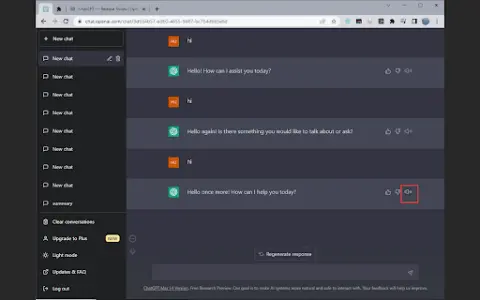
Voice Control ChatGPT is a browser plug-in that allows users to interact with the ChatGPT language model through voice. It leverages Google Chrome's speech recognition and text-to-speech technology to enable users to use voice input and audible replies from ChatGPT. Users can hold down the button to speak their question, release the button to send, and optionally cancel or edit before sending.
How to use Voice-to-ChatGPT ai chrome extension/plugin?
Open the ChatGPT homepage, press and hold the Talk button to speak, and release the button to send your question. You can cancel or edit your entry before sending.
Voice-to-ChatGPT ai chrome extension/plugin core functionality
Voice input to ChatGPT
Text-to-speech output for ChatGPT
Major languages supported
Press and talk function
Related
Supernormal: AI Meeting Notes
An AI-based meeting minutes tool that generates meeting records, summaries, and action items.
Memory Lane
A platform for families to capture, save and share life stories and wisdom, using artificial intelligence.
Dorascribe
AI medical assistants convert consultations into EMR text to enable efficient medical documentation.
ScribeBerry
AI medical records tools for recording, documentation and transcription.
Bluedot
An AI note-taking, transcription, and meeting summarization tool for Google Meet, Zoom, and MS Teams.
OmniAI.Club
An AI-powered content creation platform with tools for writing, coding, images, voice, and music.