AI TOOL / #06796
AutoPod
An Adobe Premiere Pro plugin for automatic video podcast editing.
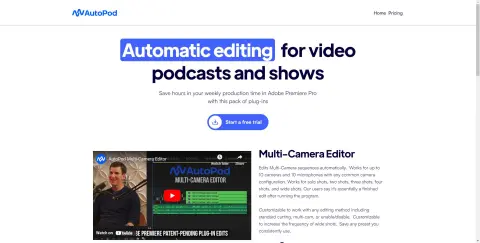
Introduction
Adobe Premiere Pro plugin for automatic video podcast editing.
What is AutoPod?
AutoPod is a set of plugins for Adobe Premiere Pro, designed specifically for video podcast and video program editors. It automates tasks such as multi-camera editing, creation of social media-ready content, and seamless editing based on audio silence markers. By streamlining processes that often prove time-consuming for editors, AutoPod helps to save valuable production time every week.
How to use AutoPod?
Install the AutoPod plugin in Adobe Premiere Pro. Open a project file in Premiere Pro, navigate to Window > Extensions, and then click on the desired AutoPod application. Use these tools to automatically edit multi-camera videos, create social media-ready clips, or add transitions based on audio silence.
The core functions of AutoPod
Automatic multi-camera editing
Social media content creation
Jump-cut editing
Related
IndexBox
An artificial intelligence-based market intelligence platform that provides comprehensive market data and analysis.
UserAnalytics.AI – AI Analytics Tool
AI-powered data analytics tools for e-commerce and SaaS applications, transforming customer data into actionable insights.
DGi
DGi is an artificial intelligence-powered data platform that enables the creation of workflows, code, and BI dashboards.
Fusion Analyzer: Smart Buying Made Simple
Software for Amazon sellers to improve product sourcing and increase profits.
antares2goats
GOATS enables seamless querying and target selection through ANTARES.
Revent
An artificial intelligence-based data analysis platform designed for automated reporting and real-time insights.