AI TOOL / #06861
> godcast
Use AI to generate conversations on any topic and customize the voice used in those conversations.
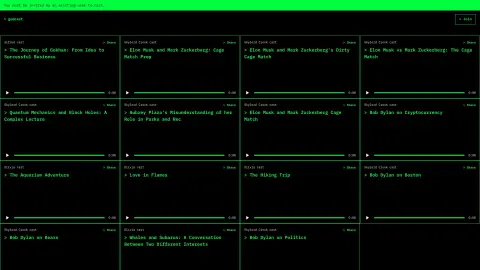
Introduction
Generate conversations on any topic using any voice with AI.
What is a godcast?
Godcast allows you to create conversations on any topic using whatever voice you desire. Simply describe what you want to produce and click “Generate”. You must be invited by an existing user in order to use this functionality.
How to use Godcast?
Describe the content of the conversation you would like to have, and then click “Generate”. Please note that you need an invitation from an existing user in order to use this generation function.
The core functions of a godcast
AI-driven dialogue generation
Custom sound settings
Flexibility of themes
Related
Melius
Node canvases enable the creation of image and video workflows.
minimi
AI cat assistant to help you finish your to-do list
thestory.run
LinkedIn writing coach who doesn’t ghostwrite
LiveTranslate
Scan the code to listen to AI simultaneous interpretation.
Morsa Signals
Developer Tools’ Customer Acquisition and AI Search Visibility
Widgo
AI-powered sales assistance for website visitors