AI TOOL / #07082
SeeHear – Text Capture
An iPhone app that instantly converts text displayed on the camera into speech.
Introduction
iPhone app that converts camera text to speech instantly.
What is SeeHear – Text Capture?
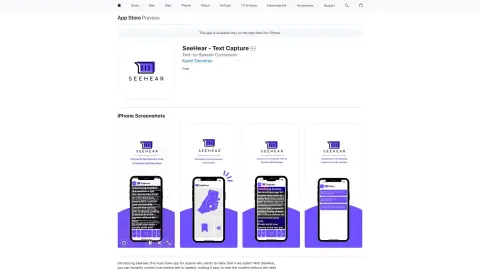
SeeHear is an iPhone application that can instantly convert text displayed on the live camera into spoken words. Users can point the camera at the text, and the app will automatically recognize it and read it out aloud. Additionally, users can take photos of the text and save them for future reference. This tool is designed to assist people with visual or reading impairments, as well as those who simply want to save time by having texts read aloud for them.
How to use SeeHear – Text Capture?
Simply point your iPhone’s camera at the text you would like to have read aloud. SeeHear will automatically recognize the text and read it out for you. You can also take a photo of the text for future use.
The core functionality of SeeHear – Text Capture
Real-time text-to-speech conversion using a webcam
Save the captured text to the iPhone’s photo album.
The text size and font type can be customized.
Save and share the captured text.
Related
rudeCaptcha
RudeCaptcha uses AI to verify humanity by detecting offensive content.
GA4 Auditor
Automated GA4 audit tool with comprehensive reporting and actionable planning.
AI Detect
AI detection helps determine the likelihood that a piece of text was generated by AI, thereby making the text produced by AI more human-like in appearance.
Study Hero
A learning tool with AI-powered problem-solving and note-taking features, designed for stress-free learning.
TextGo AI
AI humanizer tool that rewrites AI text to avoid detection and ensure originality.
Paraphrasingtool.ai
A free AI-powered tool that allows users to rewrite text in various modes and with different tones.