AI TOOL / #07258
AutoCropper
AI-based tools are used to batch crop and divide scanned images into individual pictures.
Introduction
AI-powered tool to batch crop and split scanned photos into separate images.
What is AutoCropper?
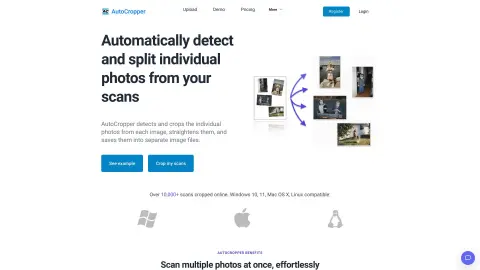
AutoCropper is an artificial intelligence-based online tool designed to batch-process multiple scanned photos. It automatically identifies and segments the individual images within these scans, adjusts their proportions, and saves them as separate image files. The tool supports bulk processing of multiple images at once, automatic rotation detection and correction, as well as high-quality uploading and downloading – without any compression being applied during the process.
How to use AutoCropper?
Upload multiple scanned images to AutoCropper. This tool will automatically identify and crop each individual image, adjust them accordingly, and allow you to download them as separate files. If necessary, you can use an advanced editor to further customize the cropping areas.
The core functionality of AutoCropper
Automatic photo detection and cropping
Batch processing of multiple scanned documents
Automatic rotation detection and correction
Full-quality upload and download, with no compression.
Customizable file naming structure
Related
New Wonderslide: Converting PDF Files to PPT Format
Free conversion of PDF files into editable PPTX format
New NitroStack
MCP Server Development and Hosting Full-stack Platform
Monaco
An AI-powered sales platform designed specifically for startups
Skyelight
A web feedback tool that can be modified by AI-programmed agents
Chatway
Website Live Chat and AI Customer Service Chatbot
SaidTrace
A Mac application that allows for local transcription of recordings and enables taking notes using a custom AI system.