AI TOOL / #07278
Skin Cancer Image Search
A Chrome extension that compares images of moles with a database of skin cancer cases.
Introduction
Chrome extension that compares mole images to skin cancer databases.
What is Mole Similarity Chrome Extension ai chrome extension/plugin?
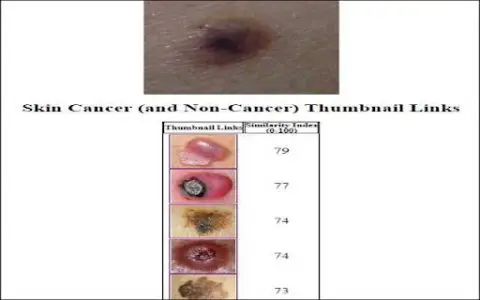
This Chrome extension helps users identify potential skin cancer risks by comparing images of their moles to a database of skin lesion images. It analyzes similarities between a user's moles and hundreds of images from 16 skin cancer websites and databases, then provides information linked to similar-looking lesions.
How to use Mole Similarity Chrome Extension ai chrome extension/plugin?
Install the Chrome extension, upload your mole image, and enter the activation code corresponding to the current month. The extension will analyze the image and provide links to similar skin lesions.
Mole Similarity Chrome Extension ai chrome extension/plugin core functionality
Nevus image analysis and comparison
Provide links to images of similar skin lesions
Image database from 16 skin cancer websites
Related
Torii Image Translator — Use GPT-4 & DeepL to Translate Any Image
Chrome extension that translates text within images directly in the browser.
Whisperback
An AI-powered platform for translating audio books and podcasts.
Suggesty
A time-saving tool that provides direct answers, eliminating the need to scroll through search results.
Neuralgen.ai
AI-driven video translation ensures accurate synchronization between the audio and the lip movements.
WhatLetter
An artificial intelligence-based document assistant, designed to translate and simplify documents in various languages.
OneAccord
Real-time AI translation for churches, supporting 40 languages with easy setup.