AI TOOL / #10059
Audio Trimmer
A Chrome extension designed for online audio editing, supporting various file formats and AI-powered editing features.
Introduction
Chrome extension for online audio trimming, supporting multiple formats and AI-powered editing.
What is the Audio Trimmer Extension for Chrome? What is this extension/plug-in?
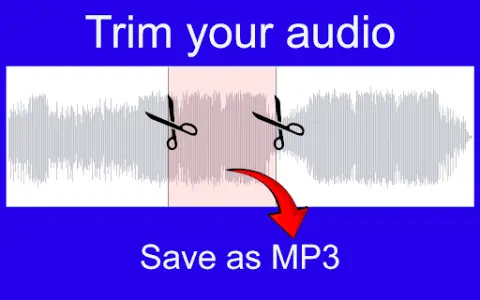
The Audio Trimming Extension is a tool designed for the Chrome browser, aimed at providing convenient audio editing capabilities. Users can directly trim audio tracks online without the need to download them first. This extension supports various formats such as MP3 and WAV, offering precise editing options. It combines accurate waveform display with AI-powered tools to enable intelligent audio track editing and high-quality conversions. It is especially useful for creating ringtones, shortening podcasts, extracting specific sections from songs, and refining the audio quality of YouTube videos.
How to use the Audio Trimmer Extension for Chrome?
1. Install this extension from the Chrome Web Store.
2. Open the extension and upload your file.
3. Use the waveform to select the portion you wish to trim.
4. Click the trim button and download the edited file.
The core functionality of the Audio Trimmer Extension for Chrome.
User-friendly interface
Wide support for various formats (including MP3, WAV, etc.)
Online convenience (no need to download)
Precise waveform editing
AI-powered tools
Related
SKYWAKE flight mission
Fable 5.2 + Opus 5.5 + Crayon + three.js
Stray Cat Game
Saving little cats, barking at dogs, and howling together with my husband’s cat—all these sounds are combined into one.
Midnight Grid: Nighttime City Racing
An open-world driving game created using just a single line of code: race through the city, crash into other vehicles, and evade police pursuit. All the vehicles, buildings, textures, and sound effects were generated entirely through programming.
Silicon Seduction
When you escape, don’t let any temptations lure you back.
Fighter Game (voiced by ElevenLabs)
Fable 5.2 combined with ElevenLabs MCP: the perfect experience for using a keyboard on a desktop computer.
Fire in Ice: Fire Within the Ice
A flame burning within ice cubes – a realistic effect achieved solely using WebGPU, without the need for three.js.