AI Card Bao 173.208.162.207
AI TOOL / #01136

Juggler

AI Coding Proxy Visualization Workspace
Introduction

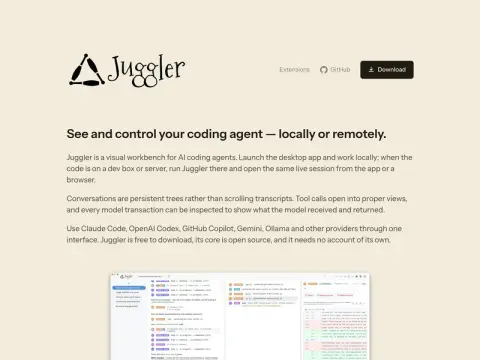
Juggler has created a user-friendly desktop interface for AI-coded proxies. Its key premise is that using coded proxies requires the processing of large amounts of text, and scrollable chat logs are not suitable for such tasks.

Therefore, it represents the dialogue in the form of a tree structure, rather than a log. Any point within this structure can be used as a branching point, and recursion is also possible – for example, a new thread can be created to attempt another approach or execute a delegated task. Ultimately, only the results are returned to the parent thread, ensuring that the intermediate processes do not interfere with the main context. The navigation system uses the Miller-style multi-column view commonly found in the Finder; tool calls, properties, and nested threads are all displayed in a flat, expandable format.

Debugging capabilities represent another key aspect of its design: Tool parameters, approval processes, and response results are all presented through separate user interfaces. Whenever a model request is initiated, users can view the system notifications received, relevant messages, tool definitions, as well as output data, token usage statistics, execution time, and reasons for any interruptions that may occur during the process.

Flexible running options: You can simply launch the desktop application if you want to use it locally. If you are developing on a development machine or server, Juggler will run there automatically. You can then connect to it from either the desktop or a browser via the same session, which is stored on your disk. The session will not be lost even if you exit and reconnect later. Juggler supports multiple code assistance tools such as Claude Code, Codex, GitHub Copilot, Gemini, and Ollama. It is available for free download, and its core functionality is open-sourced – you don’t need to register an account to use it.

Visits:137 Updated:2026-11-23 Popular tools

Related

Wallpaper Abyss wallpaper Wallpaper Abyss Wallpapers: Wallpaper Abyss is a fairly well-known international wallpaper website with nearly 1 million ultra-high-definition wallpapers, including mobile and desktop wallpapers, all available for free download. The wallpapers on the site are very high-resolution and lifelike, Java full stack knowledge system pdai is the most comprehensive Java full-stack knowledge learning website that I have seen so far. It covers almost all Java-related knowledge from entry to entry. The following two pictures show all the content. Contains: Java basics, Java partial source code, JVM, Spr CapCut Pro Jianying, a video editing tool owned by Douyin, is certainly familiar to anyone making short videos. It has become widely popular for being powerful yet easy to use. It has turned video editing—a task that used to have a high learning curve—into something anyone can use to easily produce good-looking videos, making short-video creation simpler than ever. Micro-PE Toolkit The Micro PE Toolkit is a well-known tool for installing and maintaining computer systems. It has now been updated to version v2.2, featuring a brand-new kernel and being developed based on Windows 10 21H1. This new version fully supports current mainstream computers and enables the installation of Windows 11 systems with ease. Magic eraser Magic Eraser – A magical eraser that allows you to remove unwanted elements from images in just a few seconds. For example, if other people appear in your landscape photo, you can use this tool to eliminate them. The resulting image is shown below. Currently, this tool is available on this website. Taobao and JD.com Special Offer Group Taobao, JD.com, and PDD exclusive discount group: Scan the QR code to join this group and receive the latest, most comprehensive discount information from Taobao and JD.com every day. We also share various tips on bulk purchases, price loopholes, amazing deals, and brand promotions! Scan the code to join now.