AI TOOL / #02295
Enigma, ChatGPT Sidebar
The browser extension integrates ChatGPT for a variety of tasks including summarization and content creation.
Introduction
Browser extension integrating ChatGPT for various tasks like summarizing and content creation.
What is Enigma Extension ai chrome extension/plugin?
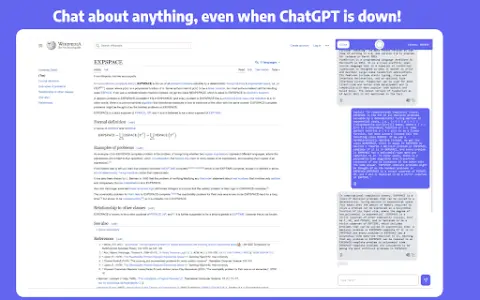
The Enigma extension enhances your browsing experience by integrating ChatGPT directly into your browser. It allows you to interact with PDF files, compose content, summarize web pages, write emails, and more without leaving the current web page. Even in high-demand situations, ChatGPT features are easily accessible via the sidebar or context menu.
How to use Enigma Extension ai chrome extension/plugin?
Install the Enigma extension. Use ctrl+alt+j (ctrl+cmd+j on MacOS) to open the sidebar, or click the Enigma icon. Use the compose tag for content writing. Highlight text to query or translate it.
Enigma Extension ai chrome extension/plug-in core functionality
Talk to PDF files
Summary page
Write blog and social media content
Write and summarize emails
Translate highlighted text
Query highlighted text on any website
Keep chat context separate for each website
Related
STAR Method Coach
An AI-powered interview skills training platform that utilizes the STAR method to assist job seekers.
Day One Careers
Interview preparation from former Amazon leaders, including courses, coaching, and AI tools.
orum.com
An AI-driven real-time dialogue platform that helps sales teams increase their revenue more quickly.
Goal: Habits & Goals
A habit-tracking app with AI coaching capabilities, available for iOS devices.
Interviewise
An AI interview training platform for job seekers, offering real-time feedback and personalized training.
The Quill
AI-driven career guidance for high school graduates.