AI TOOL / #02886
Scrapybara
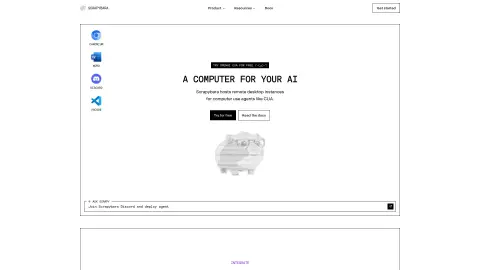
Remote desktop instances designed for use with AI agents, featuring a unified API and low-level control capabilities.
Introduction
Remote desktop instances for AI agents with unified API and low-level controls.
What is Scrapybara?
Scrapybara provides remote desktop instances for computers using proxies such as CUA and Claude Computer Use. Through a unified API, developers can use any available model to execute proxy tasks with just one line of code, and gain access to low-level controls such as browsers, file systems, and code sandboxes. Scrapybara handles automatic scaling, authentication, and system environment management, enabling users to deploy proxy queues in production environments and automate any type of computational task.
How to use Scrapybara?
Developers can use Scrapybara by installing its Python or TypeScript SDKs. After initializing the client, they can launch an Ubuntu instance and then utilize the `client_act()` method along with various tools such as ComputerTool, BashTool, and EditTool, along with a specified AI model like OpenAI, to execute automated tasks—for example, web scraping operations.
The core functions of Scrapybara
Remote desktop instances used for AI agents
A unified API that allows agents to be used with any model.
Low-level controls (browsers, file systems, code sandboxes)
Automatic scaling, authentication, and system environment management
Instantly launch a desktop instance.
Browser capabilities, code execution abilities, and file system functionality
Hundreds or thousands of instances can be launched within milliseconds.
Low latency in computational operations
Interactive streams for monitoring and control
Authenticated access is required to save and load website content.
Session persistence enables the suspension and resumption of instances.
Related
Scribbl: AI Meeting Notes for Google Meet
An AI system that provides automatic recording and transcription capabilities for Google Meet.
EnhanceTalk
Enhance Google Meet calls with real-time transcription analysis and keyword recommendations.
Teameet: Free Video Conferencing
Teameet is a free, unlimited video conferencing application that incorporates AI-powered features.
AI Phone
An AI application for real-time call translation, transcription, and summarization across multiple languages.
Meeting.ai
Artificial intelligence-based tools used for transcribing, organizing, and summarizing meetings.
Tactiq: ChatGPT meeting summary
An artificial intelligence tool for conference transcription and summarization, powered by GPT-4.