AI TOOL / #03224
Dokkio Sidebar
The Dokkio Sidebar automatically identifies and organizes web pages, files, and messages, thereby creating a searchable knowledge base.
Introduction
Dokkio Sidebar automatically tags and organizes web pages, files, and messages into a searchable knowledge base.
What is the DokkioSidebar AI Chrome extension/plug-in?
Dokkio Sidebar adds intelligent features to web pages and online applications. It automatically identifies the pages you have visited, as well as your files and messages stored in the cloud, thereby creating a powerful and searchable knowledge base that helps you organize your digital life.
How to use the Dokkio Sidebar AI Chrome extension/plug-in?
Install the Dokkio Sidebar Chrome extension. It will automatically analyze and mark web pages as you browse. Use its search function to find relevant content across different web pages, files, and emails. The sidebar learns from your browsing habits, recommends new tabs for you, and keeps you informed about any important changes that occur.
The core functions of the DokkioSidebar AI Chrome extension/plug-in
Automatically mark web pages, files, and messages.
Searchable knowledge base
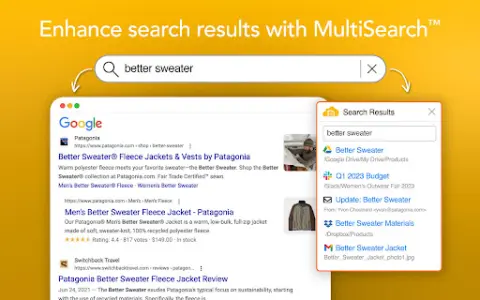
Multi-search functionality across web pages, files, and emails
Artificial intelligence-based tag recommendation system
Real-time updates regarding any changes in the content
Related
nashnova
An AI-based investment research agent designed for the Hong Kong and U.S. stock markets
Cuey
A browser extension that cross-checks AI answers using multiple models
DREAMMMER
Agent-based AI image editing tool
Quigo
Turn the document into an interactive presentation.
Wand
Voice programming that provides prompts while speaking
CtrlOps
AI-assisted Linux server management desktop interface