AI TOOL / #03399
Snipo
Snipo allows users to record video notes with timestamps in Notion and generates AI-based flashcards as a result.
Introduction
Snipo takes timestamped video notes in Notion with AI flashcards.
What is Snipo?
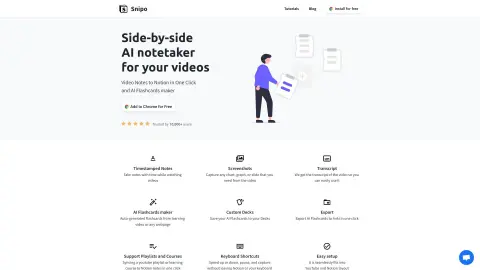
Snipo is a tool that allows users to take timestamped notes directly within Notion while watching videos. As users navigate through the content, the tool synchronizes seamlessly with the course material. Its features include split-screen mode, screenshot capture, and video clip recording. It also enables the creation of AI flashcards from learning videos or any web pages.
How to use Snipo?
Install the Snipo Chrome extension. When watching videos on platforms such as YouTube, Udemy, Coursera, Skillshare, or LinkedIn Learning, use Snipo to take timestamped notes, which will be automatically synchronized to your Notion workspace. You can also capture screenshots and video segments, and use these to generate AI flashcards based on the video content.
The core functions of Snipo
Take notes with timestamps in Notion.
AI flashcard generation
Screenshot and video clip capture
Accessible text transcription
keyboard shortcuts
Supports the playback of playlists and courses.
Related
The new SoulDub style
AI video translation that preserves the original sound quality
New AI Bridge
A Mac application that organizes multiple programming agents based on their respective roles.
New MOVO AI
Long video intelligent agent that can be used on mobile phones
New LinkIntel
Let AI know which of your tweets has become popular.
New Mouse-1
A fast model for enabling agents to make small-scale decisions
New heal.dev
An AI testing tool that runs automatically to identify bugs.