AI TOOL / #05876
Do Browser
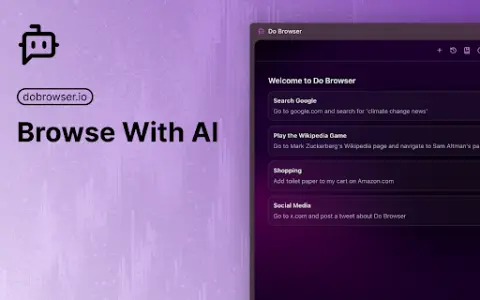
An AI-powered Chrome extension that enables control of the browser via natural language commands.
Introduction
AI-powered Chrome extension for browser control using natural language.
What is a Do Browser AI Chrome extension/plug-in?
Do Browser is an AI-powered extension for Chrome that allows users to control their browser using natural language commands. It provides quick access through the address bar or keyboard shortcuts and also supports voice commands. Its purpose is to simplify tasks such as filling out forms, shopping, and navigating complex web interfaces.
How to use the Do Browser AI Chrome extension/plug-in?
Enter “do” in the address bar or use the shortcut keys Cmd+K/Ctrl+K to activate the Do Browser. Then, use natural language commands to instruct the extension to perform tasks within the browser.
What are the core functions of browser AI Chrome extensions/plugs?
Natural Language Browser Control
Access via the address bar and keyboard shortcuts
Voice command support available
Related
New myPip
An AI game workshop that creates mini-games in just one sentence.
New Jobmate AI
An AI job-seeking tool that helps you submit your resume to numerous employers simultaneously
New VibeiDE
Desktop workspace for parallel-running programming agents
New Gerty
The Mac version of Private ChatGPT, which runs entirely locally.
The new Lexmount Browser
Cloud-based browser for AI agents
New Needle
An agent-native lead generation engine