AI TOOL / #05903
ChatGPT in WhatsApp – Jinni AI
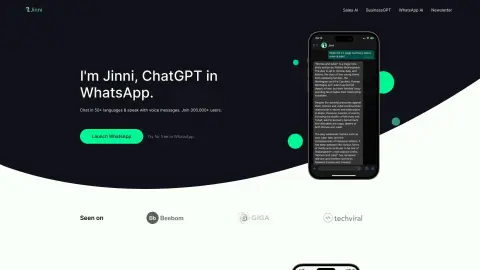
Jinni AI is an artificial intelligence assistant based on ChatGPT, and users can use it to complete various daily tasks via WhatsApp.
Introduction
Jinni AI is a ChatGPT-powered AI assistant accessible through WhatsApp for daily tasks.
What is Jinni AI?
Jinni AI is an ultra-intelligent artificial intelligence assistant for WhatsApp that allows users to engage in natural and engaging conversations with the AI to assist them in completing their daily tasks. It functions within WhatsApp in the form of ChatGPT, enabling users to communicate in over 100 different languages, including through voice messages.
How to use Jinni AI?
Users can access Jinni AI by opening WhatsApp and initiating a conversation with the Jinni AI contact. The website provides a button that allows for a free trial within WhatsApp; clicking this button will likely initiate the process.
The core functions of Jinni AI
Integration of ChatGPT within WhatsApp
Supports over 100 different languages.
Support for voice messages
AI-assisted assistance for daily tasks
Related
FineinBook
Expired on October 5, 2022! FineinBook is an e-book download website. There are more than 10 million e-books on the website, and all e-books are free to download. It is a very good alternative to the e-book download website Zlibrary. Website address: http
Animation Drawing
“Animation Drawing” is a tool that enables drawings to come to life. Upload the illustrations of characters created by your child – whether they represent people, animals, anime characters, or anything else – and the website will use AI technology to transform these images into interesting animations. You can also choose from a wide range of different movements for the characters. Here are the steps: 1. Click “Upload…”
i Love PDF
"i Love PDF" is an easy-to-use, feature-rich PDF processing tool that includes tools for merging, splitting, compressing, converting, rotating, and unlocking PDF files, as well as adding watermarks to PDFs. File processing takes relatively little time and can be completed in just a few seconds. How to Use
HiBit Uninstaller
HiBit Uninstaller HiBit Uninstaller is a free, compact, and powerful Windows system software uninstall tool that can completely uninstall software without leaving any residue! As we all know, we use the uninstaller that comes with the software or Win
Ji Yao
Ji Yao is an open online database dedicated to information about “monsters.” Our mission is to collect, organize, introduce, and share descriptions of these supernatural creatures found in ancient texts. We strive to include as much information as possible about these “monsters” from ancient literature, so that more people can gain a comprehensive and systematic understanding of China’s cultural heritage related to these supernatural beings. To date, this website has already gathered a considerable amount of data on this subject.
First PPT
First PPT: Currently, all PowerPoint resources on the First PPT website (PPT templates, PPT backgrounds, PPT elements, PPT tutorials, and PPT software) are available for free download! No login required, no hidden tricks—you can download them directly. Note: The website contains quite a few ads.