AI TOOL / #06135
Ask Screenshot for ChatGPT
Improve ChatGPT productivity by analyzing screenshots and selected text.
Introduction
Enhances ChatGPT productivity by analyzing screenshots and selected text.
What is the Ask Screenshot AI Chrome extension/plugin?
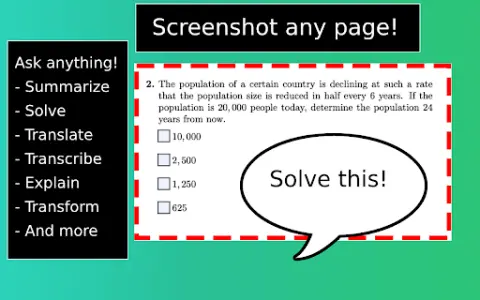
Ask Screenshot is a tool designed to improve productivity in ChatGPT, allowing users to analyze screenshots or selected text directly within ChatGPT. It offers features such as summarization, transcription, and translation, making it easier to extract information and process content from visual and textual sources.
How do I use the Ask Screenshot AI Chrome extension/plugin?
To use Ask Screenshot, right-click anywhere on any page and hover over Ask GPT to access the available screenshot templates. For selected text, right-click the selected text and hover over Ask GPT to view the available templates.
Core features of the Ask Screenshot AI Chrome extension/plugin
Screenshot and analyze: Take a screenshot and automatically open it in ChatGPT for analysis.
Text selection and analysis: Right-click any selected text to automatically open it in ChatGPT.
Related
Onepin
An AI dubbing production tool that automatically verifies pronunciations
Pixo
Complete the editing process by integrating all the scripted segments into a cohesive whole within the dialogue sequence.
Rool
Private AI cloud hosting services located within the European Union
Dawnwood
An AI production workshop that generates 10 episodes of vertical-format short dramas based on a single premise
Polylane
An AI operations and maintenance agent that takes over the duties of engineers on their behalf
Proofsource
A platform that monitors and optimizes a brand's visibility in AI-based search results.