AI TOOL / #06433
Tali AI
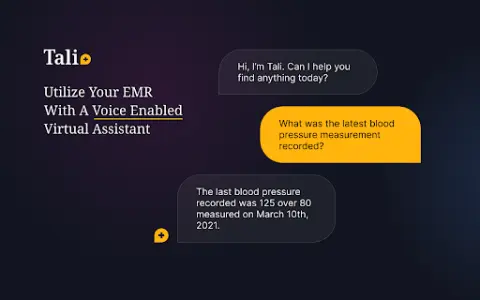
A Chrome extension tool for dictating medical notes and accessing medical databases within EHR systems.
Introduction
Chrome extension for dictating medical notes and accessing medical databases within EHR systems.
What is the Tali AI AI Chrome extension/plugin?
Tali AI is a Chrome extension designed to simplify medical note-taking and information retrieval, built specifically for healthcare professionals. Users can dictate notes directly into electronic health record (EHR) software via voice input and access evidence-based medical database information while using the EHR interface.
How do I use the Tali AI AI Chrome extension/plugin?
1. Install the Tali Chrome extension.
2. Sign in with your Google account.
3. Select a text area in the EHR.
4. Click the microphone icon to start dictating.
5. Speak clearly to enter notes directly into the EHR.
Core features of the Tali AI Chrome extension/plugin
Dictate medical notes directly into the EHR system.
Access evidence-based medical databases within the EHR
Speech-to-text transcription
Google Account integration
Related
Food Check
AI-powered food scanner for nutritional, allergen and dietary information.
SOMA
An AI-based research platform for uncovering connections between factors and medical conditions.
PetsApp
The veterinary interactive platform is designed for communication, appointment scheduling, payment processing, and customer management.
HeyBaby AI Pregnancy Assistant
An AI-powered pregnancy support application that offers personalized solutions, tracking tools, and a wealth of informative articles.
Sully.ai chrome extension
Sully is an AI assistant designed for EHR systems, which enhances the functionality of clinical documentation, procedures, and question-and-answer interactions.
Doc AI
An artificial intelligence-powered health assistant that provides personalized and reliable medical advice, available 24 hours a day, around the clock.