AI TOOL / #06631
Voice-to-ChatGPT
Voice-controlled ChatGPT interactions via browser plug-in.
Introduction
Voice-controlled ChatGPT interaction via a browser extension.
What is the Voice-to-ChatGPT ai chrome extension/plugin?
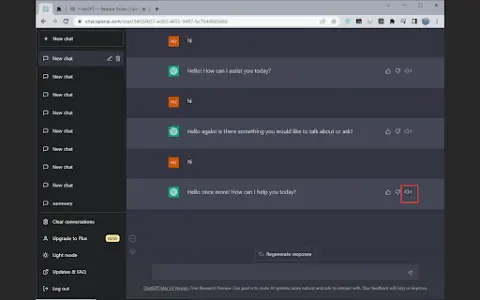
Voice Control ChatGPT is a browser plug-in that allows users to interact with the ChatGPT language model through voice. It leverages Google Chrome's speech recognition and text-to-speech technology to enable users to use voice input and audible replies from ChatGPT. Users can hold down the button to speak their question, release the button to send, and optionally cancel or edit before sending.
How to use Voice-to-ChatGPT ai chrome extension/plugin?
Open the ChatGPT homepage, press and hold the Talk button to speak, and release the button to send your question. You can cancel or edit your entry before sending.
Voice-to-ChatGPT ai chrome extension/plugin core functionality
Voice input to ChatGPT
Text-to-speech output for ChatGPT
Major languages supported
Press and talk function
Related
AI Exam Expert
A Chrome extension designed to use AI to answer multiple-choice questions.
DeepSeek AI
An AI-powered tool for analyzing web content and providing answers.
anse
Anse is a user interface for AI chat applications that supports both OpenAI and Replicate technologies, and is also easy to expand.
Echooo Wallet
A decentralized smart contract wallet featuring multi-signature, social recovery, and AI-driven cost reduction.
Quaere
AI-powered astrology and tarot apps provide insights into horoscope predictions, chakra guidance, and relationship compatibility.
Cheerleader AI
AI-driven virtual cheerleaders, designed to provide encouragement and emotional support.