AI TOOL / #06677
Voice Control for Netflix
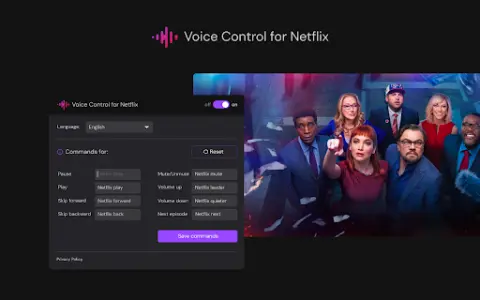
Use voice control to operate Netflix: play, pause, fast-forward, and more.
Introduction
Control Netflix with your voice: play, pause, fast-forward, and more.
What is the Voice Control for Netflix AI Chrome extension/plugin?
Netflix’s voice control allows users to manage their Netflix experience via voice commands. This includes tasks such as playing, pausing, and advancing videos, all without the need to use a remote control or touch the screen.
How to use the Voice Control feature for the Netflix AI Chrome extension/plug-in?
Simply enable Netflix’s voice control, and then use voice commands to control playback, navigate the menu, and search for content.
The core functionality of the Netflix AI Chrome extension/plugin for voice control
Use voice control to operate Netflix playback functions (play, pause, fast forward, rewind).
Hands-free navigation, Netflix menu
Voice search for films and TV shows
Related
AudioGenius.ai
An AI-powered voice cloning and translation platform designed to transform voices and facilitate communication on a global scale.
Translate This Video
Video translation and dubbing services, using voice cloning technology.
Deepdub
An AI-powered dubbing and localization platform designed for efficient audio production.
EchoVoiceAI
Voice cloning and sound design applications are used for cloning, imitating, and creating new sounds.
ImageGPT
An integrated AI platform for image generation, enhancement, and editing.
CopyCoder
CopyCoder generates AI prompts based on images, enabling faster development of applications.