AI TOOL / #07092
BlackboxAI
A browser extension that utilizes real-time encoding for assistance.
Introduction
Browser extension for real-time coding assistance.
What is the BLACKBOX AI Extension – an AI add-on/plug-in for Chrome?
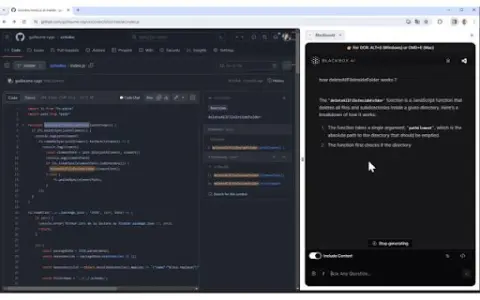
BLACKBOX AI Extension is a tool designed to enhance your coding workflow by providing real-time assistance with code-related questions and suggestions. It is seamlessly integrated into your browser and GitHub, offering features such as code chat, context-aware answers, and OCR (Image-to-Text) functionality.
How to use the BLACKBOX AI Extension for Chrome?
You can use the BLACKBOX AI extension via the browser icon, keyboard shortcuts, or directly within GitHub. Use Code Chat to get answers to common coding questions; enable the “Include Context” option to ask about issues related to the current page, and click the “Code Chat” button on GitHub to inquire about specific code repositories. The OCR function can be activated by pressing CTRL+E (on Windows) or CMD+E (on Mac).
The core functionality of the BLACKBOX AI extension for Chrome.
Code chatting feature assisted by real-time encoding
Answering Questions Based on Context Awareness
Specific code assistance integrated with GitHub
OCR (Image to Text) Function
Related
ChatPhoto: Ai Image To Text
AI tools that convert images into text and allow users to “converse” with the photos themselves.
Hypercharge AI: Parallel Chats
Mobile-first AI chatbot for parallel prompting and LLM benchmarking.
Overchat
A comprehensive AI platform that integrates multiple features—including ChatGPT, Claude, and Gemini—to deliver a smarter experience.
Everlyn AI
Build a platform for AI tutors that offers personalized learning experiences and automated assessment tools.
MathSolver.top
AI-based mathematical solvers and personalized tutoring tools for students.
MathGPT
MathGPTPro is an AI-powered interactive math and STEM homework help platform.