AI TOOL / #07145
Pic to Text
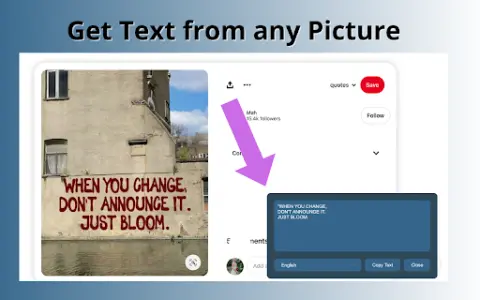
A free web-based tool for extracting text from images using OCR technology.
Introduction
A free web-based tool to extract text from images using OCR technology.
What is Pic to Text Converter ai chrome extension/plugin?
Image to Text Converter is a web-based tool that allows users to extract text from images using optical character recognition (OCR) technology. It supports multiple image formats and languages, providing a free and unlimited way to convert images into editable text.
How to use Pic to Text Converter ai chrome extension/plugin?
To use the image-to-text converter, upload an image via the "Choose File" button or drag and drop it into the input area. Click the "Extract Now" button to start the OCR process. The extracted text will be displayed and can be copied, downloaded or shared.
Pic to Text Converter ai chrome extension/plugin core features
Accurate OCR software
Multi-language support
Easy to share
No installation required
Free and unlimited use
Related
XuetangX
Tsinghua-initiated MOOC platform with free access to most courses.
Generation of scrolling video for novels
This tool arranges the entire novel into a continuous stream of text, allowing it to scroll smoothly from bottom to top on a vertical screen – much like the subtitles at the end of a movie. The formatting, previewing, exporting, and saving of the project are all done locally within your browser; neither the main text nor any media files will be uploaded to any server.
Image Prompt Studio
Generate AI painting prompts based on field names.
Mermaid
The AI-based drawing tool developed by the Mermaid.js team
dusk bot
Use the existing AI subscription group to create a small team of robots.
CodeDesign.ai
A one-sentence solution for creating a website that can be easily exported.