AI TOOL / #07230
hahaOCR
Extract text from the image; press the ESC key to exit.
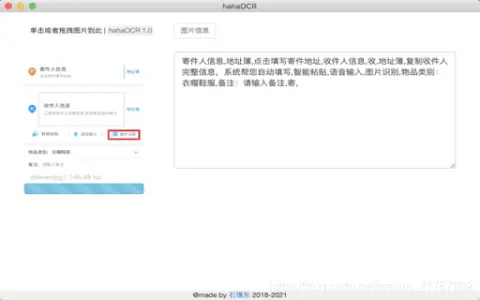
Introduction
Extract text from images and exit with ESC.
What are the Image to Text and ESC Exit App AI Chrome extensions/plugs?
This application allows users to extract text from images and convert it into editable text. Users can upload images by clicking a button and exit the application by pressing the “ESC” key.
How to use the Image to Text & ESC Exit App AI Chrome extension/plug-in?
Click the upload button to select an image. The application will automatically extract the text from the image and display it. Press the “ESC” key to exit the application.
The core functionality of the Image to Text and ESC Exit App AI Chrome extension/plugin.
Image to Text conversion
Use the ESC key to exit the function.
Related
Coin Identifier Coin Snap
AI-powered mobile app to identify coins and track their value.
Seede AI
AI-powered design tools to quickly create social media and marketing content.
HeyPhoto
Free AI photo editor to easily retouch and adjust faces online.
PixNova Face Swap
Online AI face-swapping tool for photos, GIFs and videos.
AlbumCover AI
AlbumCover AI is an AI-powered tool that generates unique album covers for your songs by analyzing audio tracks and offers customizable styles. It enables users to easily create high-quality visuals without extensive design skills or time-consuming processes.
luzia.com
Access AI features effortlessly – no registration required, and it’s completely free. Luzia (also known as Soy Luzia) can help you complete various tasks in your daily life, whether it’s for work, study, social interactions, or pursuing your passions.