AI TOOL / #08831
inscribe.ai
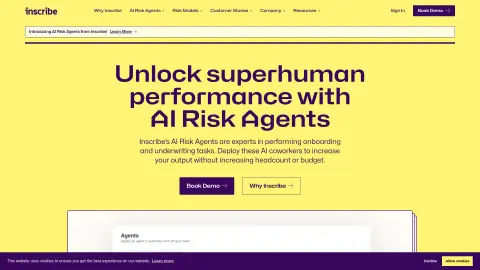
Inscribe utilizes artificial intelligence to detect document fraud and automate risk assessments during the onboarding process.
Introduction
Inscribe uses AI to detect document fraud and automate risk assessment during onboarding.
What is Inscribe?
Inscribe utilizes machine learning models and artificial intelligence-based risk assessment tools to detect document fraud and other types of risks, thereby facilitating the onboarding process for new customers and enhancing the effectiveness of risk evaluations. It automates tasks related to fraud detection, credit assessments, and compliance checks, thus accelerating the processing of applications. The features offered by Inscribe include AI-powered fraud analysts, AI-based compliance assessment tools, web-based detection systems, meta-data analysis capabilities, natural language summarization services, risk scoring mechanisms, web-based research facilities, and advanced data analysis options.
How to use Inscribe?
Collect documents, utilize artificial intelligence to streamline fraud screening and compliance checks, and optimize your risk management strategies through advanced analytics.
The core functionality of Inscribe
An AI-based risk assessment tool used for onboarding new employees and underwriting insurance applications.
AI-based fraud analysts dedicated to detecting document-related fraudulent activities
AI Compliance Analyst for KYB Checks
Network-based detection and meta-data analysis
Natural Language Summarization and Risk Scoring
Research and evidence based on the internet
Advanced parsing and text understanding
Related
Zhide AI Resume
“Zhidu AI Resume” is a powerful online AI tool for creating resumes. It combines three key functions: AI-based resume generation, AI-assisted resume polishing, and AI simulated interviews. By simply entering the name of the desired position, users can generate a resume that perfectly matches the requirements. The platform also offers a vast collection of free resume templates, and the AI automatically optimizes the layout of the resume.
Linggou AI Notes
Linggou AI Notes is a team collaboration platform that integrates note-taking, AI creation, and knowledge management. It is a powerful productivity tool. With a simple prompt, AI can help you generate creative content, such as work reports, Xiaohongshu copy, event proposals, thesis outlines, and more!!! In addition to being able to...
Wondershare PDF
Wondershare PDFelement is an all-in-one PDF editor that lets you edit any PDF file directly just like a Word document. It works across all platforms—phones, computers, and tablets are all supported! Free download from the official PDF website: Click here. In addition to editing PDF documents, you can imagine...
International Music Score Library
It boasts the world’s largest collection of free public copyrighted musical resources, including sheet music and recordings. The website is available in multiple languages, including Chinese, but users should be aware of the copyright laws in their own countries when using it. All content can be downloaded for free~~ To date, 214,386 works by 26,190 composers have been included in this collection.
Paper Download Center
Using the search function redirects you to a paid page, so this site has taken it down! Only the introductory article is kept. The website is called: Free Paper Download Center. It doesn’t look like a high-quality site, but it’s really convenient and easy to use! The site requires no login and has no restrictions; all documents are completely free.
Lenovo Widgets
Lenovo Quick Fix consists of hundreds of intelligent tools provided by Lenovo’s official knowledge base, designed to help solve various minor problems that may occur on Windows computers. These are independent and practical tools developed by Lenovo specifically for use on Windows systems – for example, they allow you to disable the automatic update feature in Windows 10.